
Explained: Phase
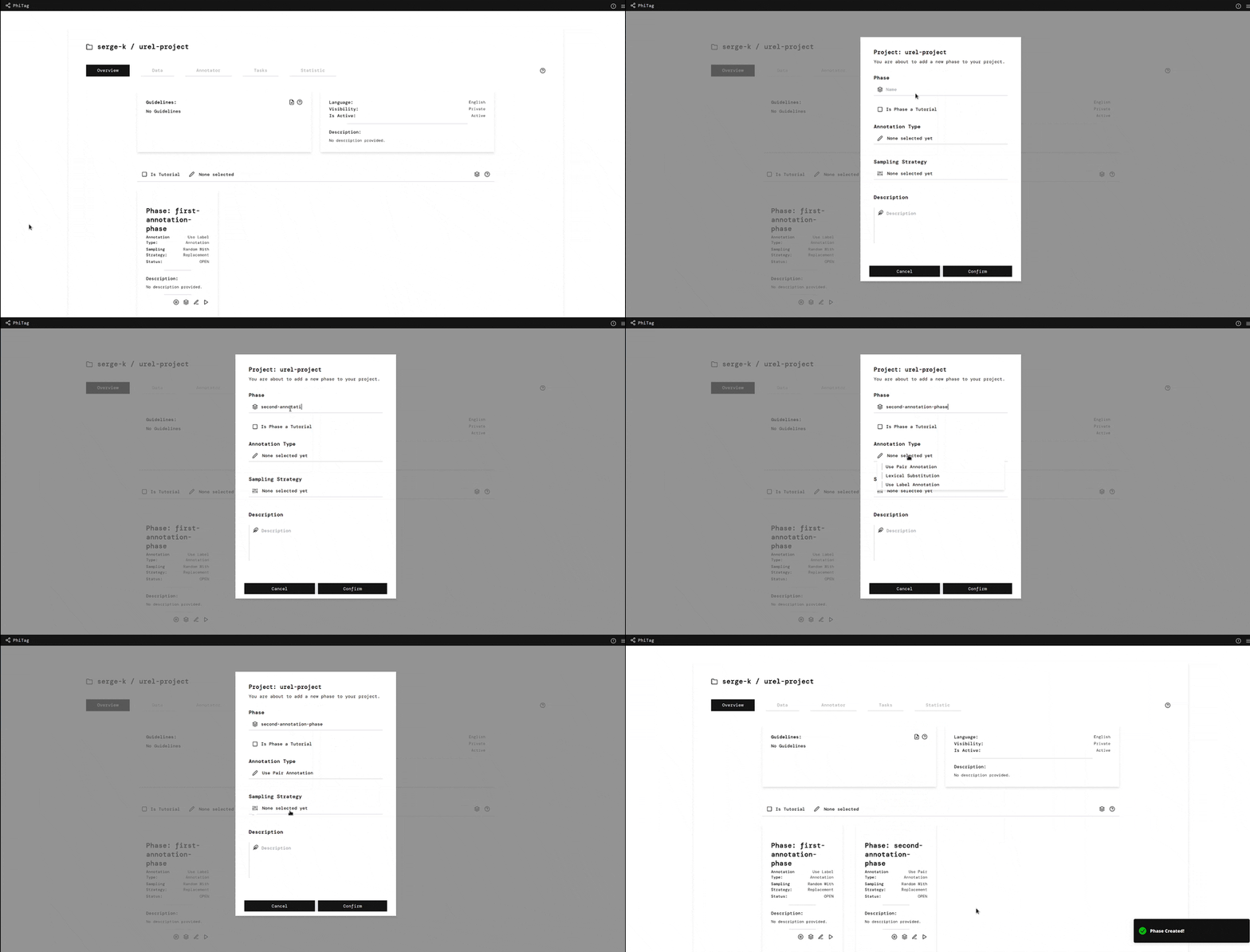
This guide explains the phase page. The phase page is the main page of a phase. It is divided into five tabs: "Overview", "Instance", "Judgements", "History" and "Tasks".
 |
|---|
| Add Phase |
Tab: Overview
Currently, the overview tab of a phase is empty.
Tab: Instance
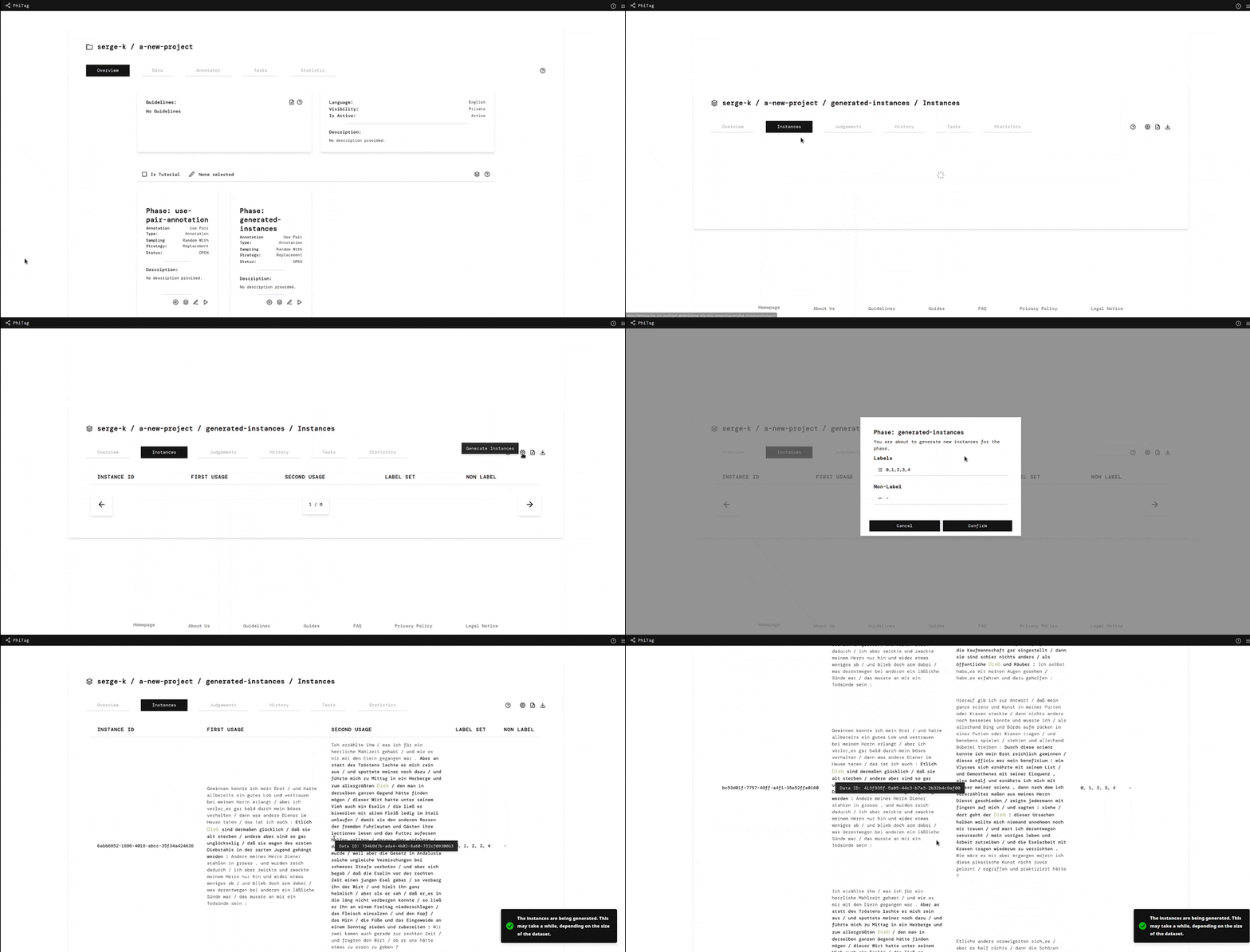
The instance tab shows all instances of the phase. An instance describes annotation instances to be judged by the annotators. Depending on the annotation type, instances to be uploaded have different formats.
 |
 |
 |
|---|---|---|
| Add Instance | Download Instance | Computational Generated Instances |
Tab: Judgements
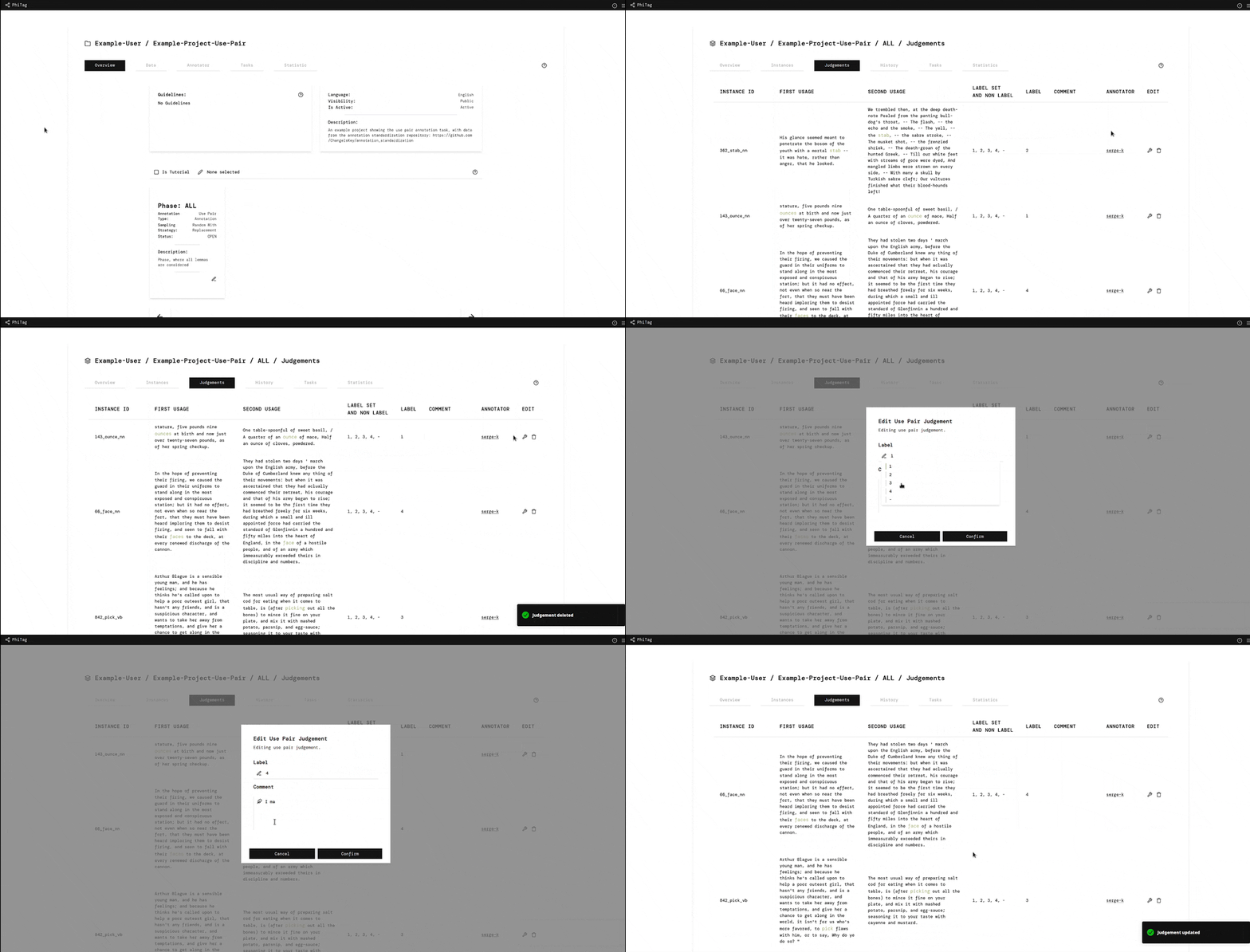
The judgements tab shows all judgements of the phase. Judgements are the results of the annotation process. They are created by the annotators and can be downloaded through this tab. If you are an admin of the project, you can upload and download judgements through this tab and can see all judgements of the phase. If you are an annotator, you can see all judgements you have created and also edit them.
 |
 |
|---|---|
| Download Judgement | Edit Judgement |
Tab: History
The history tabs shows only judgements created by you. It is a subset of the judgements tab.
Tab: Tasks
The tasks tab shows all tasks of the phase, which track the progress of computational annotators on this current phase.
Tab: Statistics
The statistics tab shows different statistics of the phase.