
Explained: Projects
This guide explains the project page. The project page is the main page of a project. It is divided into five tabs: "Overview", "Data", "Annotator", "Tasks" and "Statistic".
Tab: Overview
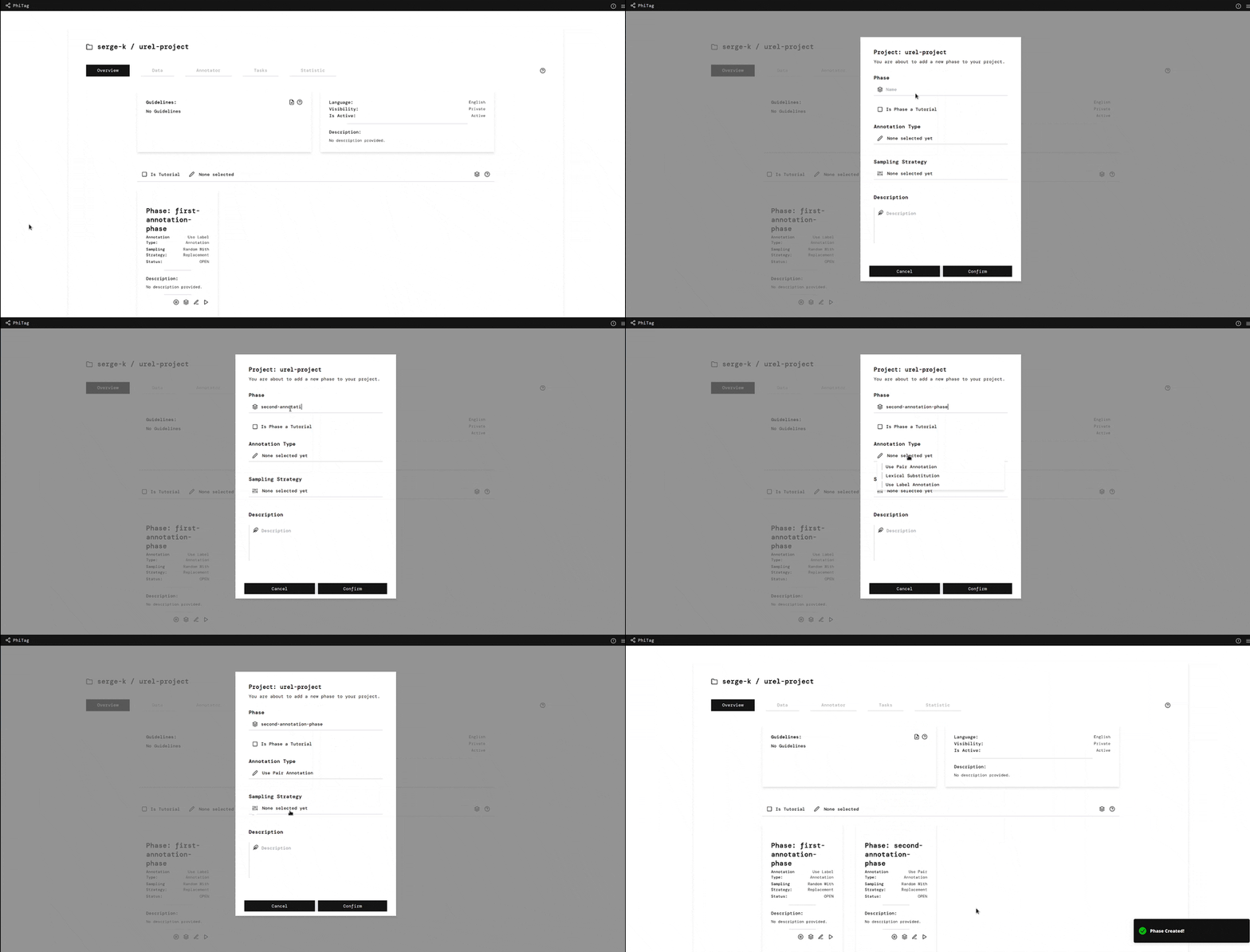
The overview tab shows the most important information about the project. It contains the guidelines of the project, a project description and the phases.
- The guidelines of a project are a set of rules that annotators have to follow when annotating data. Guidelines can be uploaded as a markdown file.
- The project description is a short description of the project, the language, if the project is public or private and if the project is active or inactive. If the project is inactive, it is not possible to join the project as an annotator, add new data or annotate data.
- The phases of a project are the different stages of the project. A project can have multiple phases. See the Explained: Phase guide for more information.
 |
 |
|---|---|
| Add Phase | Add Guidelines |
Tab: Data
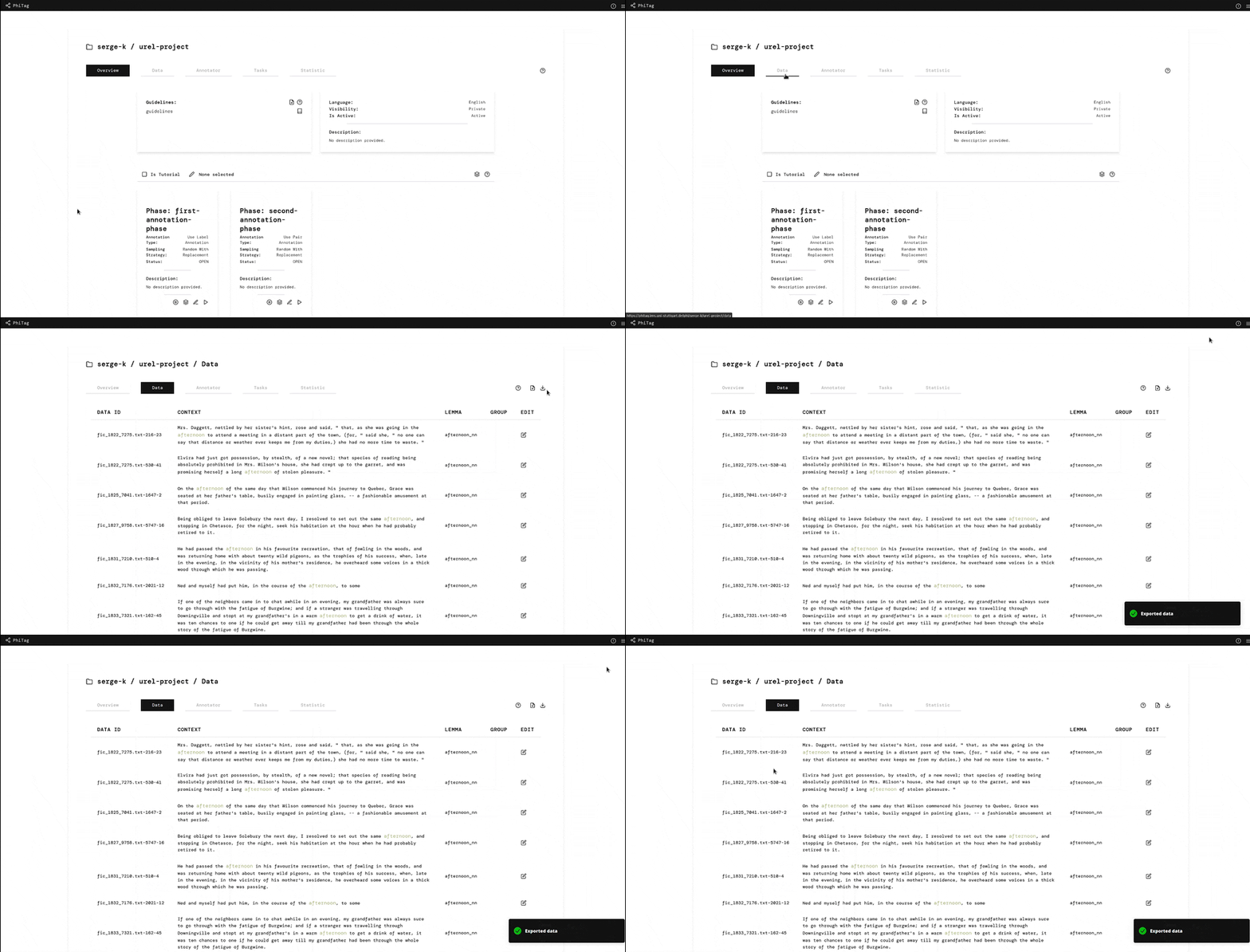
The data tab shows all data sets of the project. Data sets are a collection of data that are used in instances for annotations. Data sets can either be uploaded or added through the Corpus if you are an admin of the project.
 |
 |
|---|---|
| Add Data | Download Data Set |
Tab: Annotator
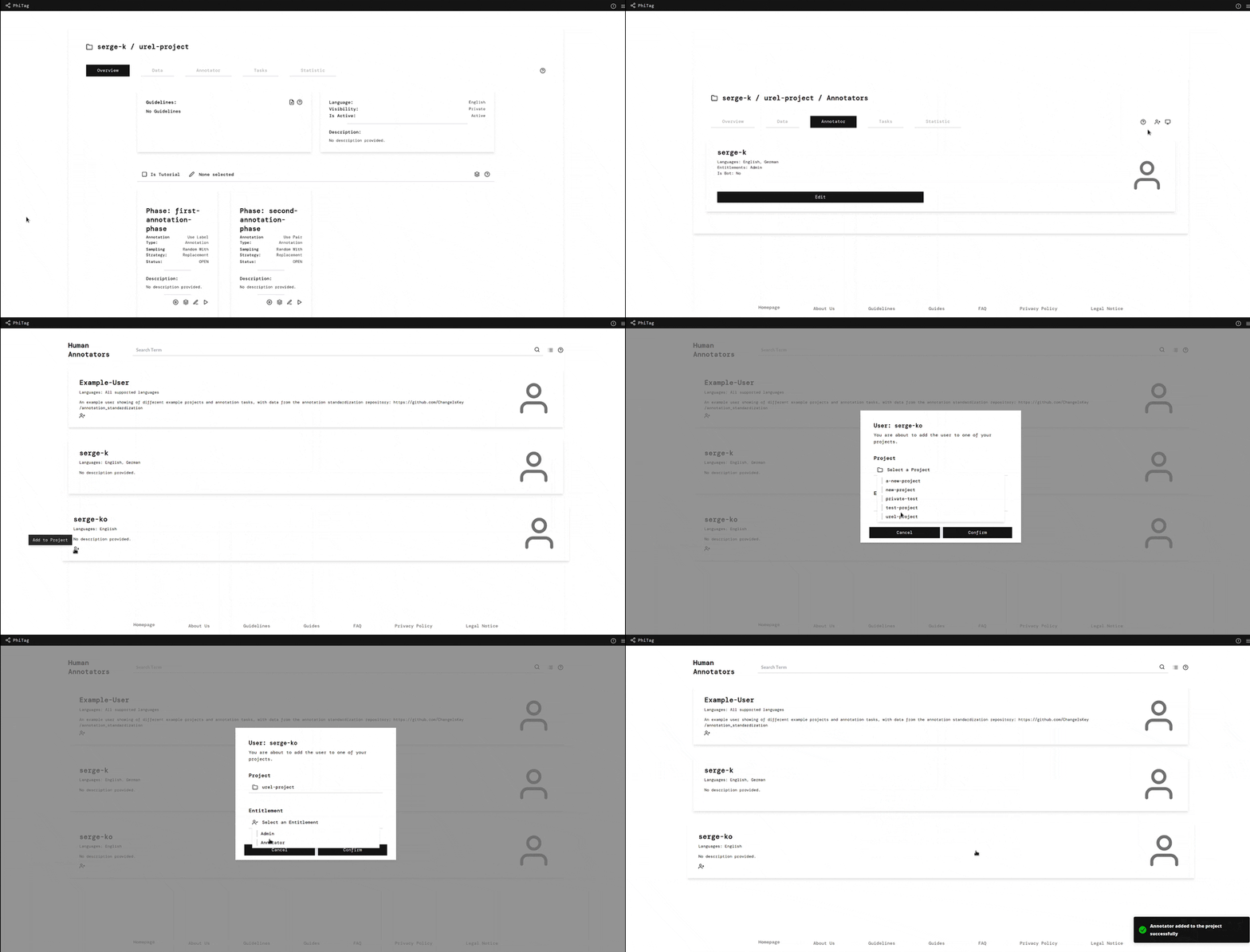
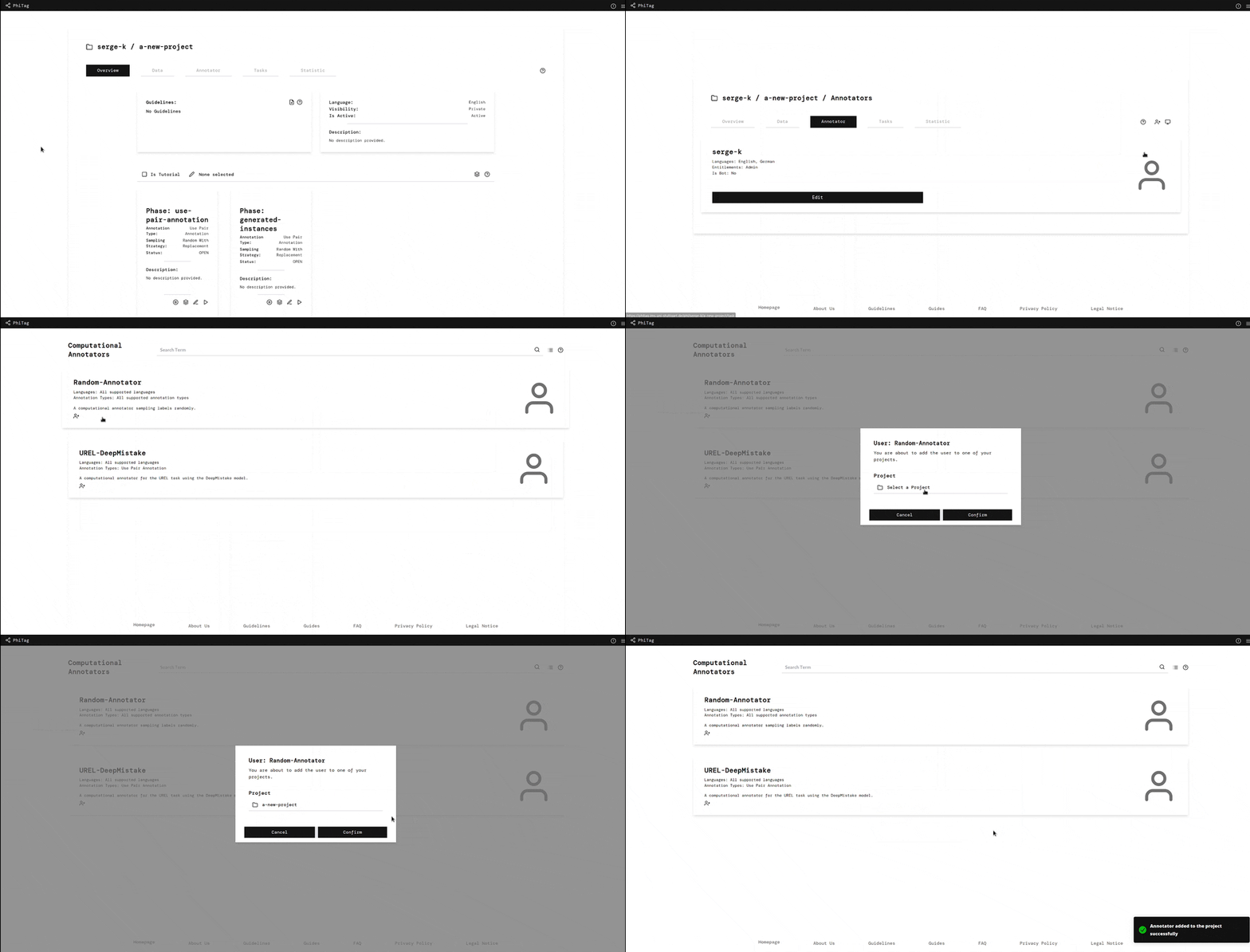
The annotator tab shows all annotators of the project, which are either human or computational annotators and through which new annotators can be added to the project.
 |
 |
|---|---|
| Add Annotator | Add Computational Annotator |
Tab: Tasks
The tasks tab shows all tasks of the project, which track the progress of computational annotators on different phases of the project.
Tab: Statistic
The statistic tab shows different statistics of the project.
 |
|---|
| Project Statistics |