
Overview
This guide provides detailed steps on seamlessly integrating Prolific with PhiTag to streamline the process of publishing your study and hiring annotators. Below, you'll find essential details to successfully publish your project on the Prolific platform and engage annotators efficiently.
Requirement
You must have an account in both Prolific and PhiTag. If you don't have researcher account in prolific, please create first. Please read the "Setting up a study on Prolific guide".
Step 1: Create Project
Refer to this guide on creating a project in Phitag to initiate the first step of integrating Prolific.
Step 2: Create Phase
Follow this guide on creating a phase in Phitag to set up the necessary phases for your project.
Step 3: Create Joblisiting
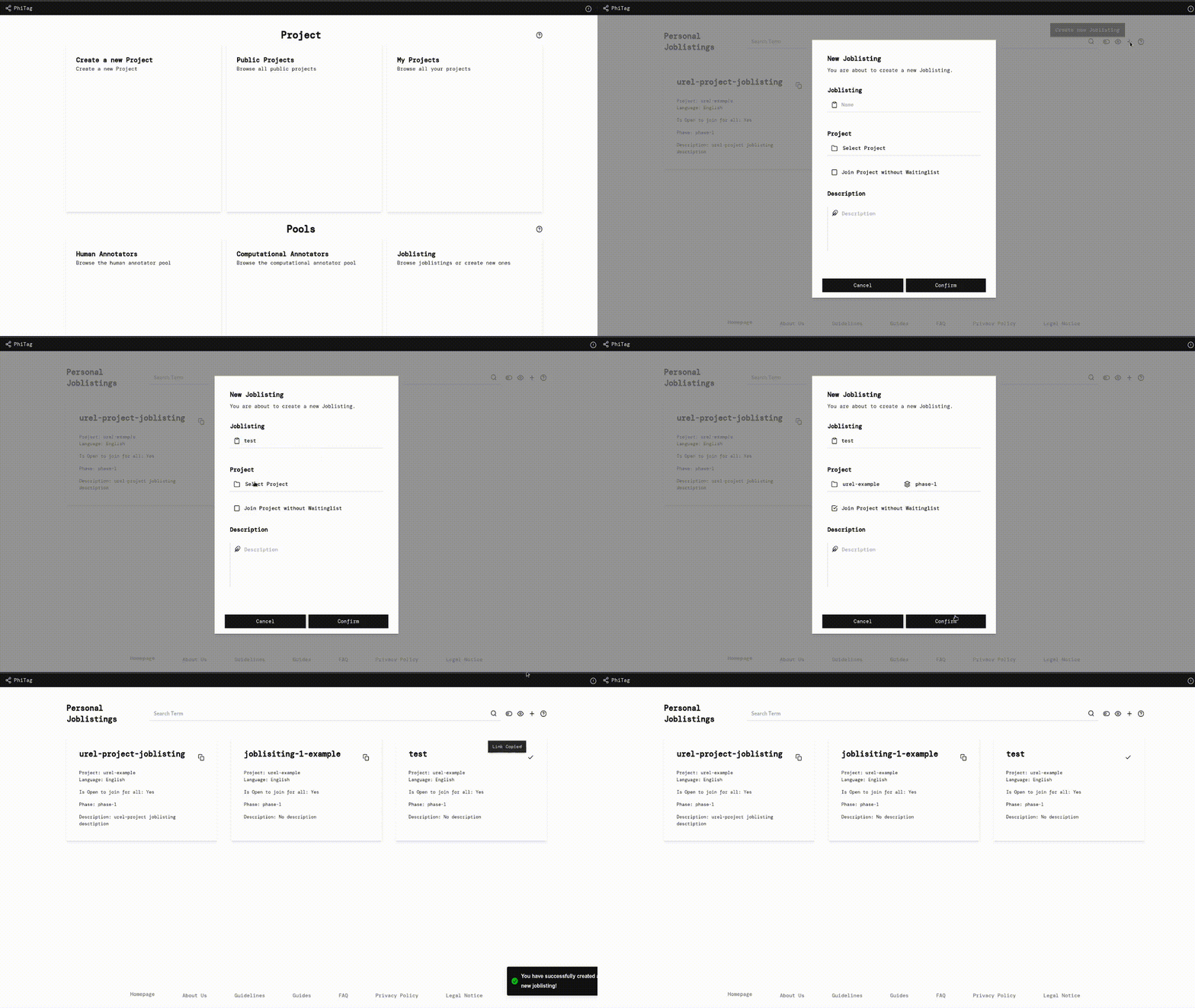
Once your project and phase are set up, proceed to create a job listing associated with the corresponding project and phase. After job listing creation, locate the copy link icon on the top right of the card. This link is crucial and needs to be pasted in your Prolific project creation page.
 |
|---|
| Create joblisiting and copy link |
Step 4: Paste the link in Prolific and copy the completion Code
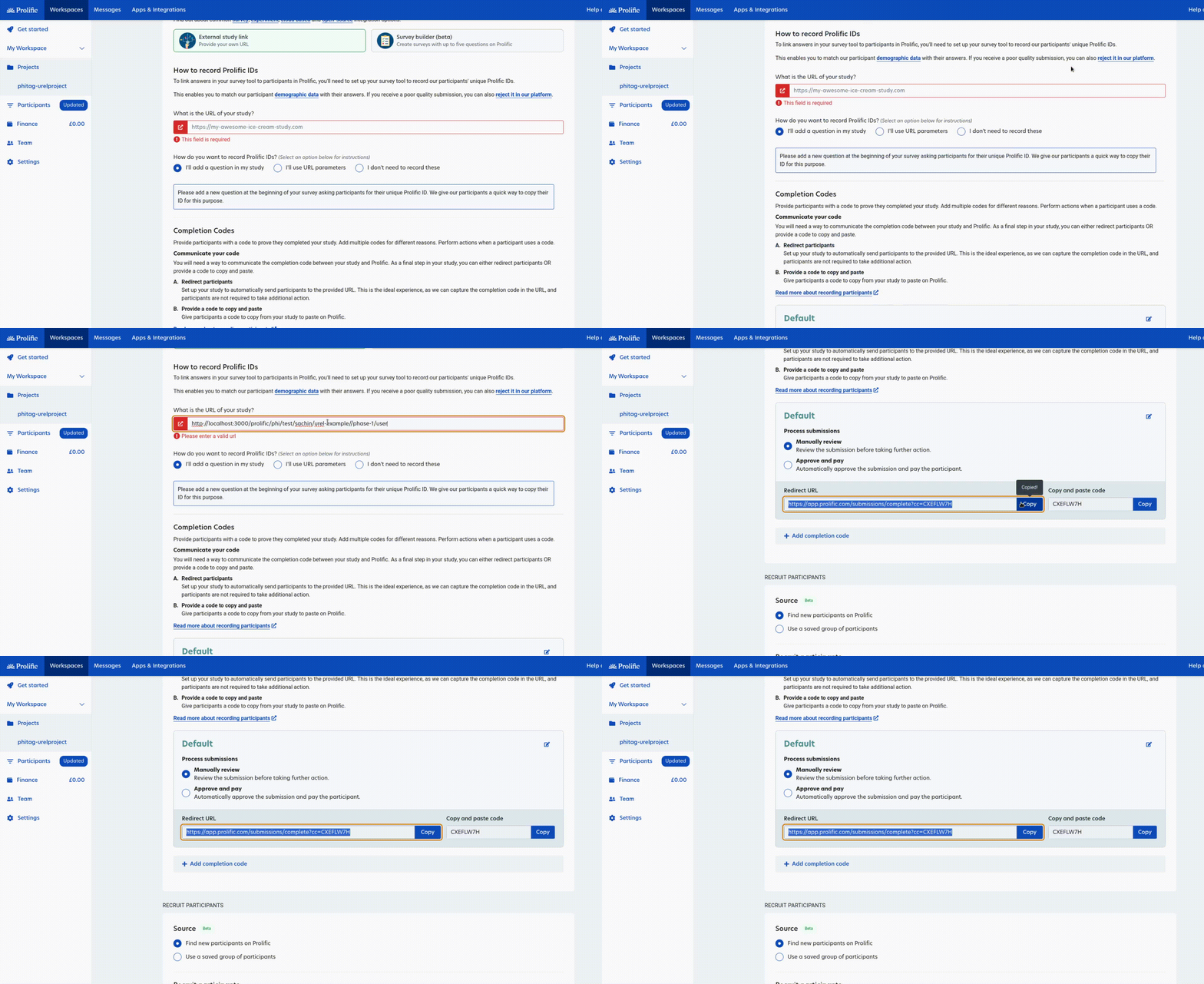
Having created your project and phase, the next step is to paste the copied link into Prolific. Find the card for your created job listing, and click on the copy link icon. Paste this link in the "What is the URL of your study?" section on Prolific. Additionally, copy the study completion code from the available options, as PhiTag supports both code formats.
 |
|---|
| Paste the link in prolific |
Step 5: Paste the completion code to PhiTag
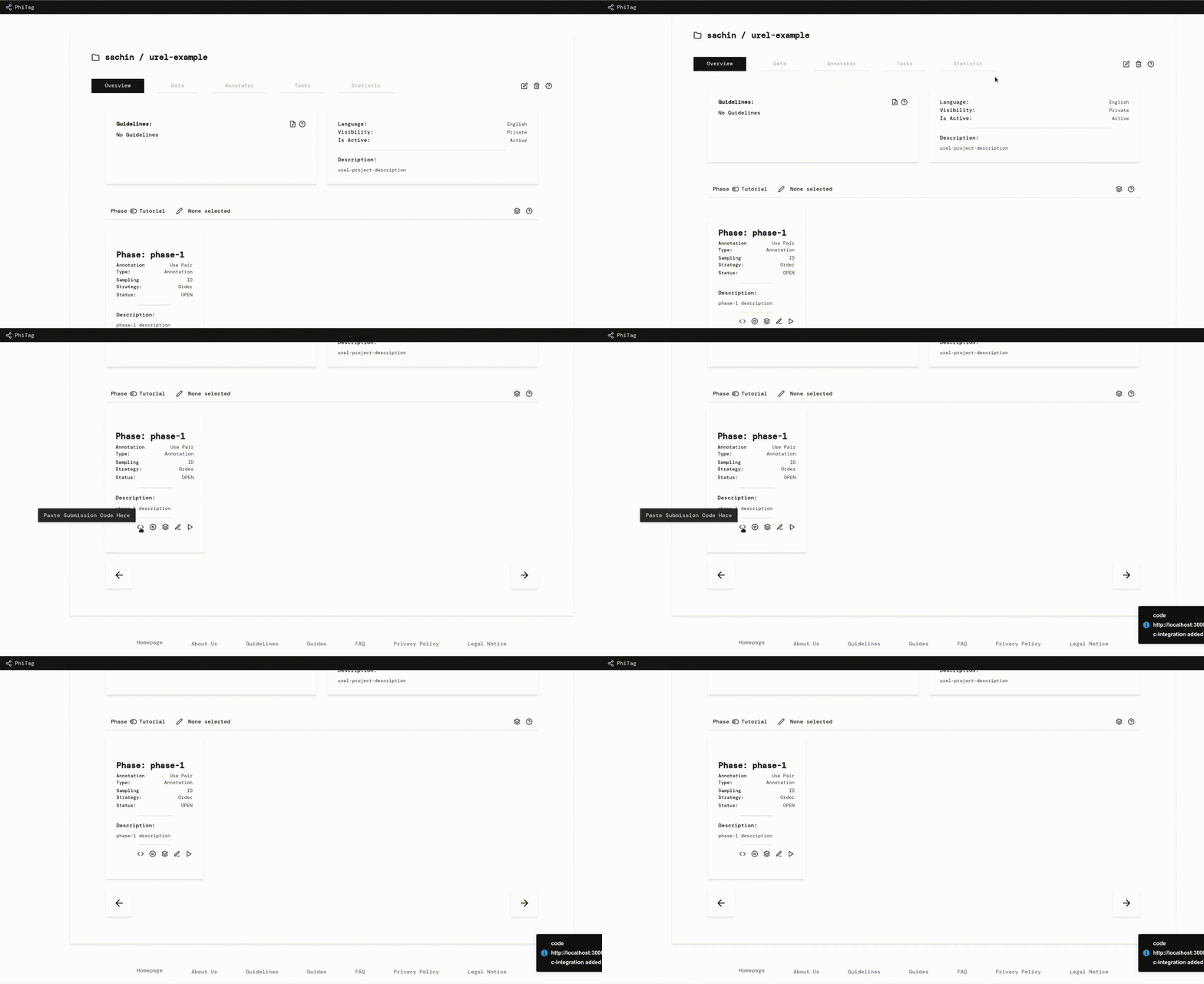
As a researcher, your final step is to paste the completion code in PhiTag. Locate the code icon in the phase card of the project which you used to create joblisting.
 |
|---|
| Paste the link in PhiTag |
By following these steps, you seamlessly integrate Prolific with PhiTag, optimizing your study's publication process and ensuring a smooth collaboration with annotators.
What annotators will see?
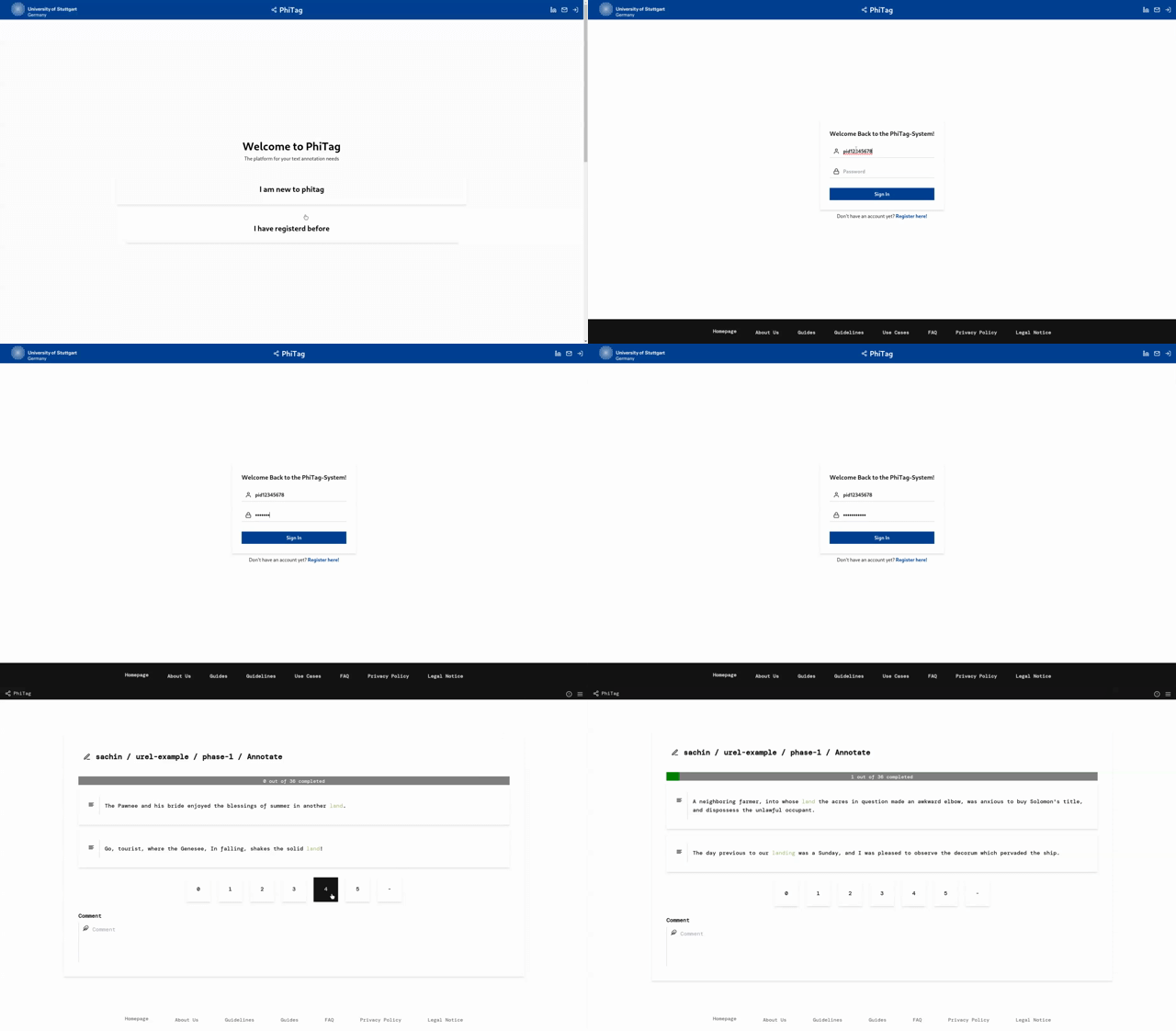
Once participants click on the provided link within their Prolific account, they will be redirected to Phitag and presented with two options: "I am new to Phitag" and "I have already registered". Note: Registration in Phitag is mandatory to participate in the study. For users who are already registered, they should proceed by selecting "I have already registered," leading them to the login page where they need to provide their username and password. Upon successful login, users will be redirected to the study page. If not registered, they should click on "I am new to Phitag" which will lead them to the registration page. Here, users must provide their valid Prolific ID during the registration process. After registration, users can access the study page.
 |
 |
|---|---|
| Register in PhiTag | Login in if already a user |
Study page and submisson page
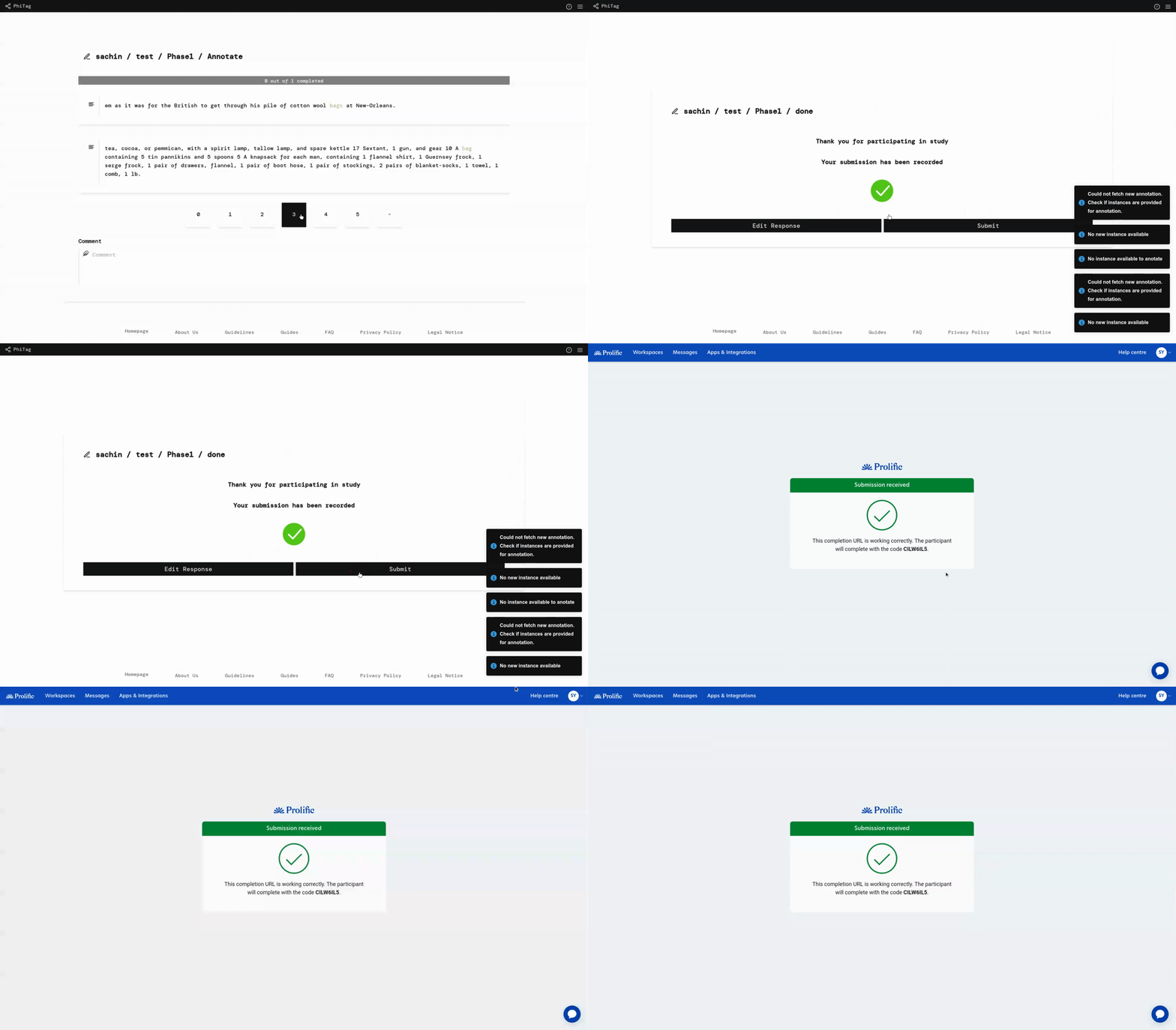
After successful registration and login, participants are granted permission to participate in the study. Once all instances are completed, they can access the "Done" page. Here, users need to select the "Submit" button, which will successfully submit their study and redirect them back to Prolific to receive rewards.
 |
|---|
| Submisson page |